Chrome extension
Forty tabs. One keystroke.
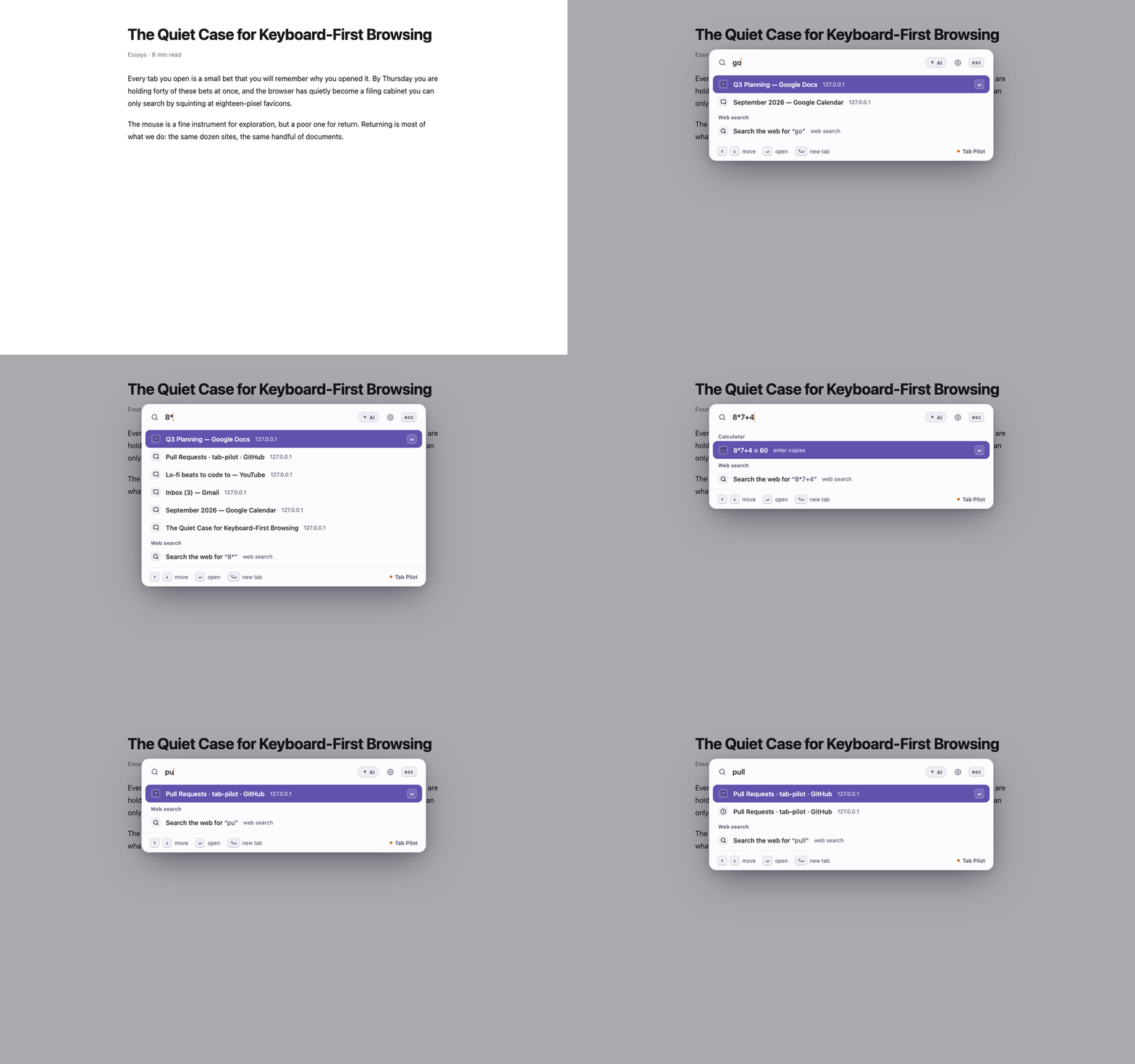
Tab Pilot is a command palette for your browser. Press ⌥K on any page and fuzzy-search every open tab, your history and your bookmarks at once — then hit Enter and you are there. No mouse, no squinting at eighteen-pixel favicons.
- Size
- 239 KB
- Core account
- None
- Telemetry
- None
- Price
- Free
What it does
-
Search everything at once
Open tabs, browsing history and bookmarks in a single ranked list, ordered by frecency — the thing you want is usually already first. Tab groups are searchable by their name. When you type a query, the first action searches the web with whatever engine your browser already uses; local matches remain right below it.
-
Run the browser from the keyboard
Switch, close, pin, mute, duplicate, reopen the tab you just shut. Rows teach you their own shortcuts as you use them, so you get faster without reading a manual.
-
Do the small things inline
Type
8*7+4and press Enter to copy the result. Turn on clipboard history to search your last 50 copies. Expand text snippets like/addranywhere you type. -
Ask about the page you are on
Optional AI answers are available from the palette and side panel, but nothing is sent until you explicitly ask a question. Tab chat reads only the visible text of the current tab after consent; mail, banking and sign-in pages are excluded automatically. Core features need no account. Optional snippet sync uses a Vault account only if you connect one.
Coming from Omni or Arc?
Omni stopped being maintained. Arc's command bar went away with Arc.
Tab Pilot is the same idea, still maintained, in the browser you already
use — and you can rebind it to Ctrl/⌘⇧K
at chrome://extensions/shortcuts to keep your muscle memory.
Private because it barely needs the network
Your settings, snippets and clipboard history live on your device and are never synced. Core features need no account and there is no telemetry of any kind. Tab Pilot talks to a server only when you explicitly ask an AI question or connect optional Vault sync — and the privacy policy spells out exactly what leaves your browser when you do, including the parts most extensions would rather not mention.